Home / Projects / LinkWash: copy links without the trackers
LinkWash: copy links without the trackers
Published Oct 29, 2026
A free Chrome extension that strips tracking codes like ?s=20 and ?si= from links when you copy them, so you share the link and nothing else.
What it is: a free Chrome extension. You copy a link, and it removes the tracking codes before you paste it anywhere. It's open source, meaning anyone can read the code that runs it, and it takes about two minutes to install. It works in Chrome on a computer (Mac, Windows or Linux), not on a phone.
Why it exists
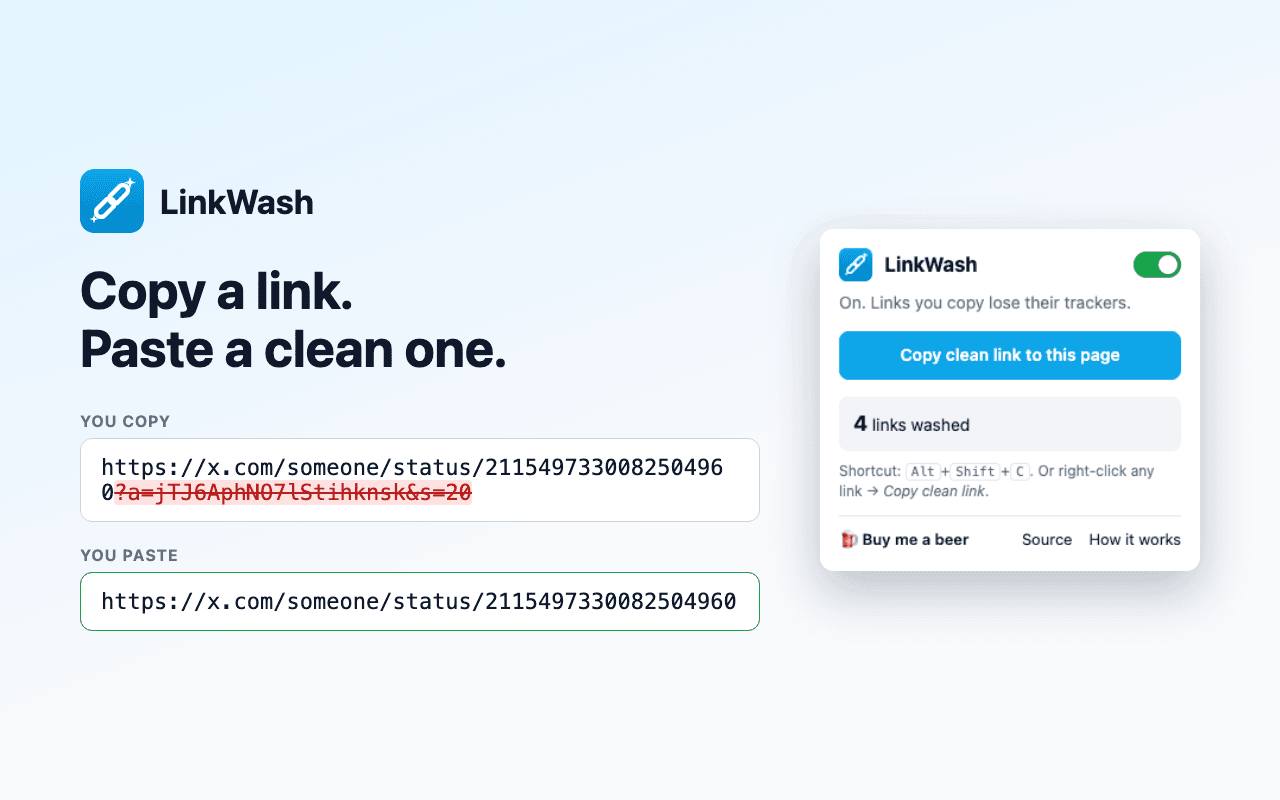
A post went around this week pointing out that you can delete everything after the ? in most links. Share a post from X and you get this:
https://x.com/someone/status/1849?s=20
The part after the ? is a tracking code. It tells X who shared the post and where it got opened. YouTube adds ?si=, Spotify adds ?si=, newsletters add utm_source=, Facebook adds fbclid=, and Amazon adds a long trail of ref= codes.
Deleting it by hand gets old. Deleting everything after the ? also breaks things: a YouTube link keeps its video in ?v=, and a Google search keeps your search in ?q=. Lose those and the link goes to the wrong page.
LinkWash does the careful version for you. It removes the codes that only track you and keeps the parts the link needs:
https://x.com/someone/status/1849
Step 1: Install it
Chrome Web Store: under review. This page will link to it as soon as Google approves it.
Until then, you can install it straight from the code:
- Go to github.com/buildleansaas/linkwash (GitHub is where the code lives). Click the green Code button, then Download ZIP.
- Double-click the downloaded file to unzip it. You get a folder called
linkwash-main. - In Chrome, type this into the address bar at the top and press Enter:
chrome://extensions
- Turn on Developer mode with the switch in the top right. It's Chrome's setting for installing an extension from a folder instead of from the store. It only changes how extensions are installed; it doesn't change anything else about Chrome.
- Click Load unpacked (it appears once Developer mode is on) and pick the
linkwash-mainfolder.
You should see a LinkWash card on the page, and a blue chain-link icon in Chrome's toolbar. Click the puzzle-piece icon next to it and pin LinkWash so it stays visible.
A copy installed this way doesn't update itself. When the Chrome Web Store version is live, this page will link to it: install that one and remove this one.
Step 2: Copy a link
Nothing to set up. It's on as soon as it's installed. It cleans links when you:
- select a link's full web address (the text starting with
https://) and press Ctrl+C (Cmd+C on a Mac) - click a site's own Copy link or Share button
- right-click a link and choose Copy clean link
- press Alt+Shift+C (Option+Shift+C on a Mac) to copy a clean link to the page you're on
Paste it anywhere to check. The tracking part is gone.
Need the original link? Click the LinkWash icon and flip the switch off. Links you copy stay exactly as they are until you turn it back on. (Copy clean link and the shortcut still clean, since that's what they're for.)
What it never does
Chrome will tell you LinkWash can read and change data on every website. That's because share buttons and links exist on every site, so it has to be able to see what you copy wherever you are. It only looks at the moment you copy, and only changes the text when it's a single link with tracking codes.
It makes no internet connections. Links are cleaned on your own computer, and nothing about what you copy is collected or sent anywhere. The only things it remembers are whether it's switched on and how many links it has cleaned. The privacy policy says the same thing in full.
A sentence with a link inside it is left alone. So is a link that has nothing to remove.
How it was built
This one went from idea to working extension in an afternoon, built with Claude Code. The list of codes it removes, and the tests (small programs that check each rule against real links from X, YouTube, Amazon and others), are all in the code on GitHub. If a link isn't getting cleaned, report it on GitHub with an example link. Each report is called an issue.
Buy me a beer
LinkWash is free and will stay free. If it saved you some hassle, you can buy me a beer 🍺. You pick the amount.
Progress
Saved in this browser. No account. Clearing site data wipes it.
Get new guides and videos by email
One email when something new is up. No spam. Unsubscribe anytime.